Features
Professional astrology software and practice management, together.
Each part of AstrologersDirect is useful on its own. Together, they keep the full story of every client connected.
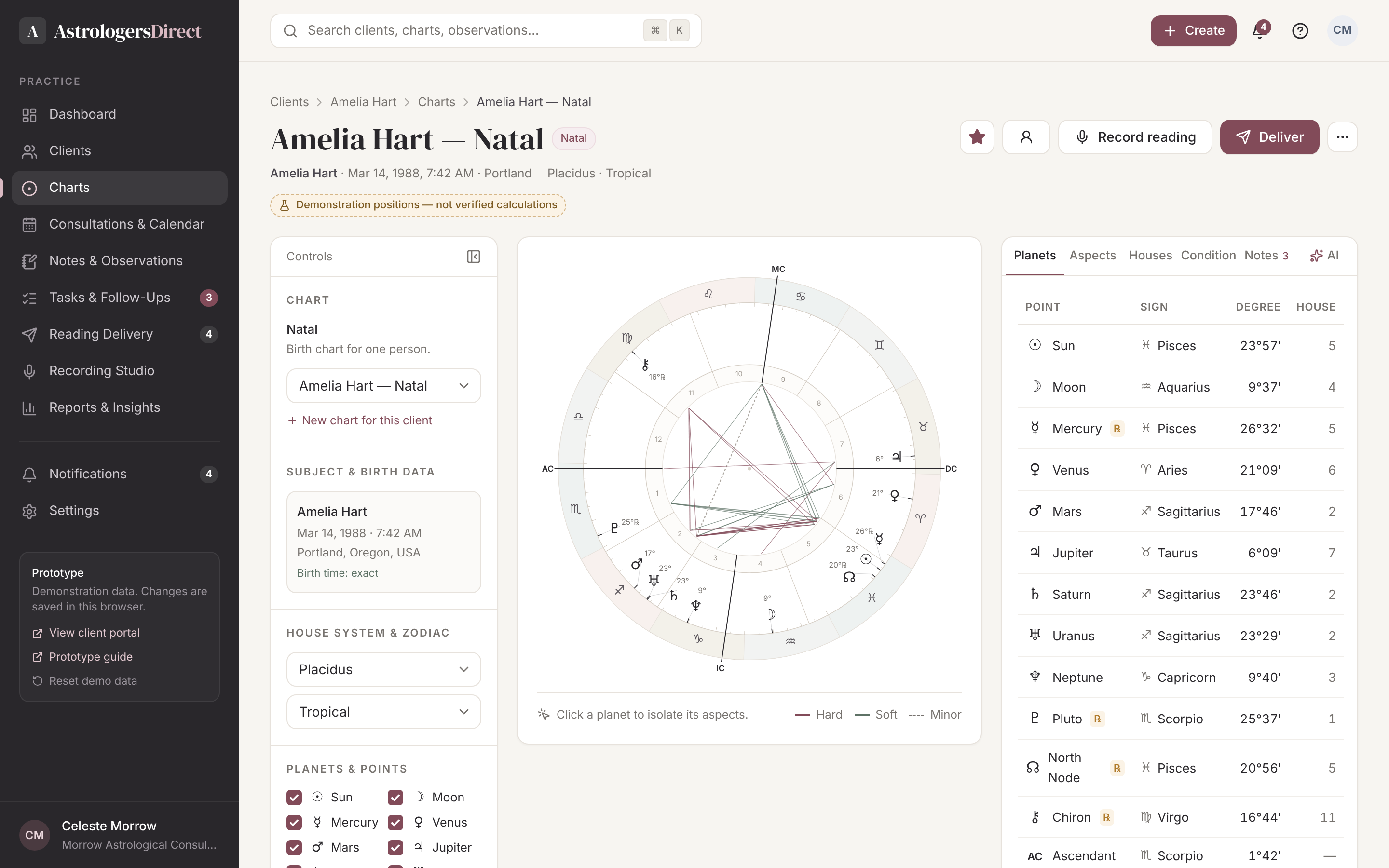
Professional Chart Workspace
A focused analysis environment with chart controls on the left, a large interactive wheel in the centre and placements, aspects, houses and rulers on the right. House systems, zodiac, orbs and visible points are all yours to set.
What it does
- Natal, synastry, midpoint composite, transits, progressions, solar arcs, solar returns
- Applying and separating aspects, dignities and house rulers
- Charts always stay attached to their client record
In practice
- Seven house systems and tropical or sidereal zodiac
- Planet and point visibility, aspect selection and orbs
- Placements, aspects, houses, rulers and planetary condition tabs
Client Management
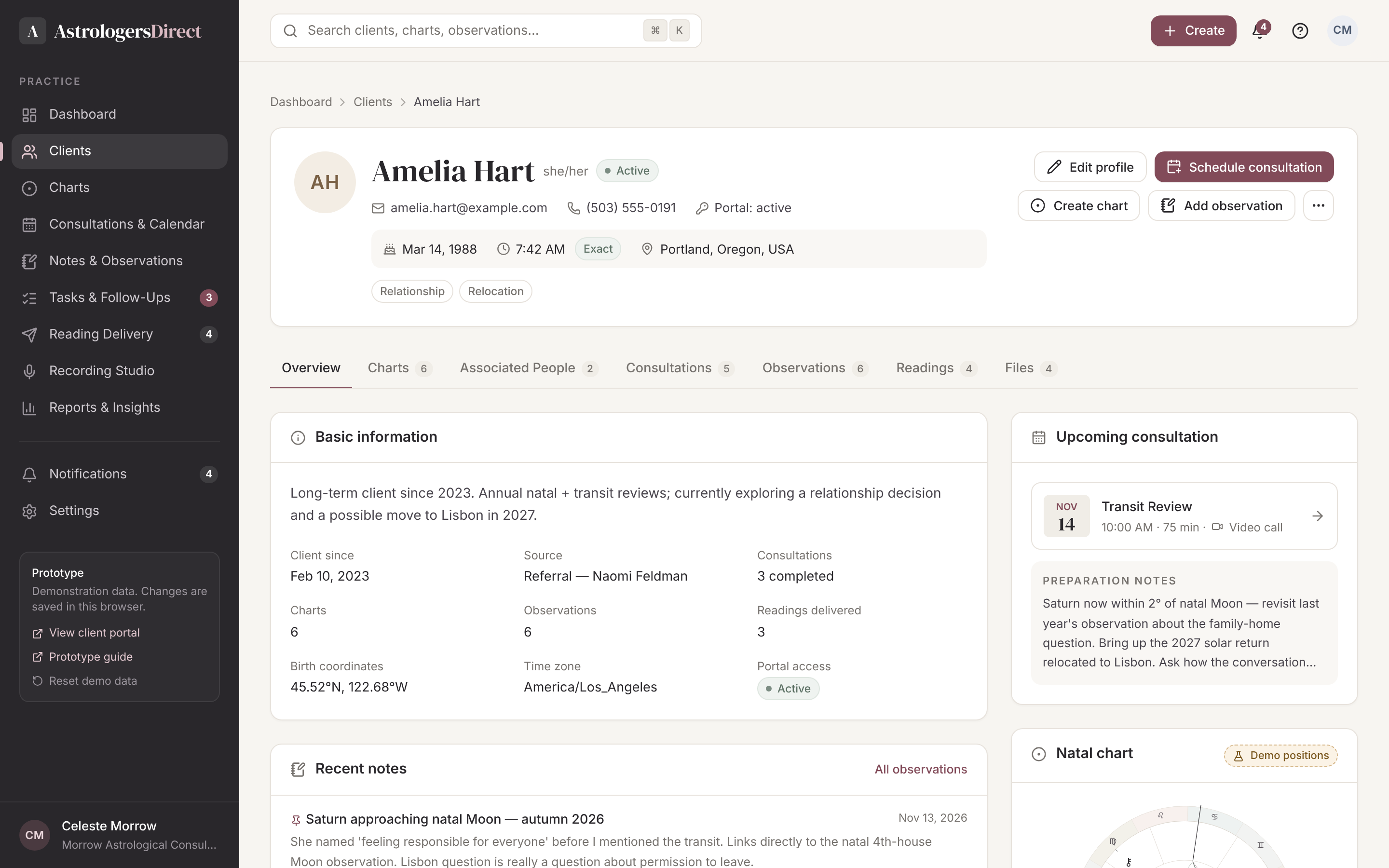
Each client has a single profile that holds contact details, verified birth data, partners and family members, consultations, charts, observations, delivered readings and files. Open a record and see the whole relationship at a glance.
What it does
- Searchable directory with status, filters and archive
- Associated people with their own birth data and charts
- Import and export your existing client list
In practice
- Overview, charts, associated people, consultations, observations, readings and files tabs
- Birth-time accuracy recorded with the data
- Status, tags and portal access for each client
Persistent Notes & Observations
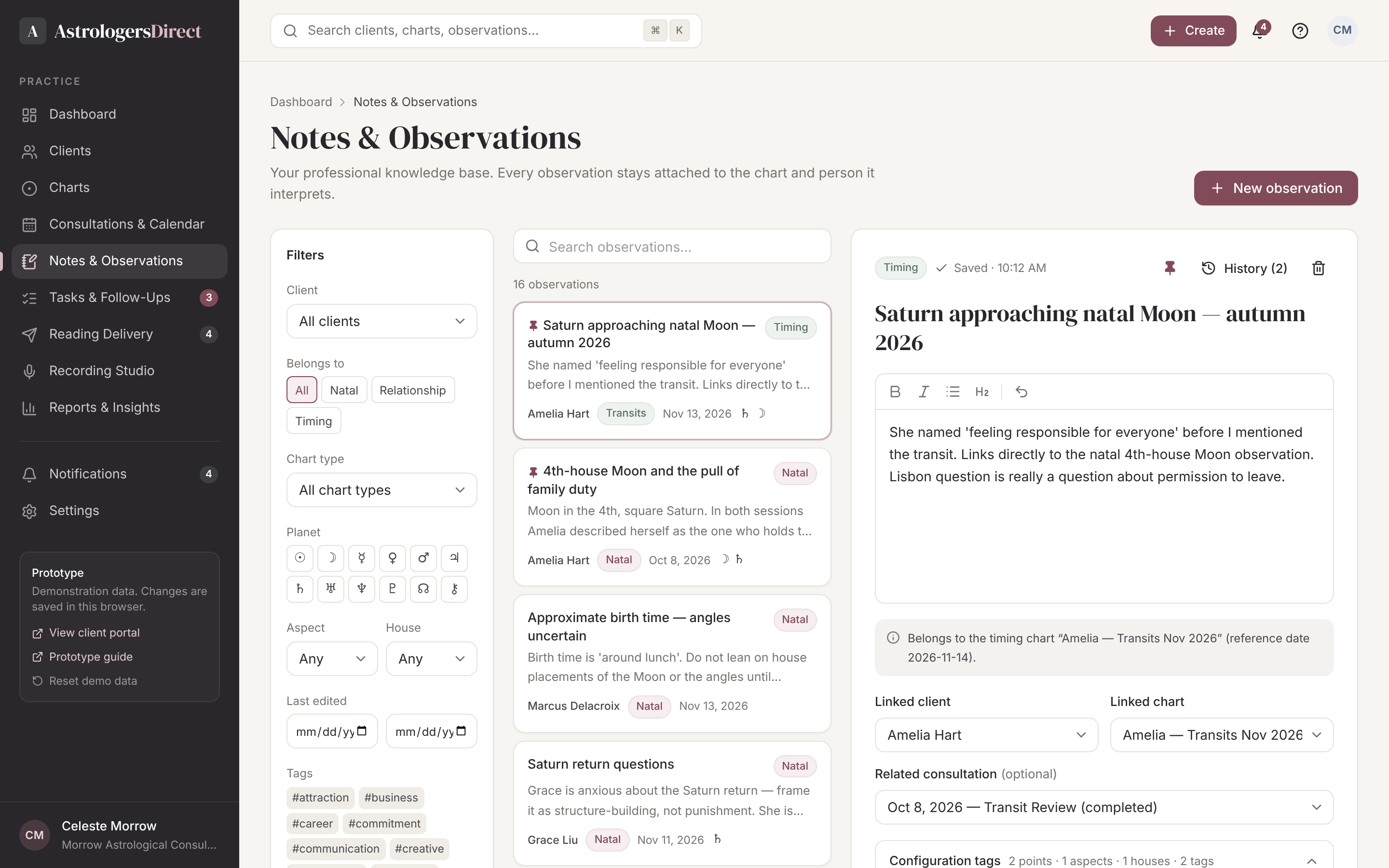
Observations autosave, keep a revision history and are tagged by planet, aspect and house. Natal observations belong to the person; relationship observations belong to the relationship. Years later, your thinking is still there.
What it does
- Autosave and revision history
- Tags for planets, aspects, houses and themes
- Search your knowledge across every client
In practice
- Three-column knowledge base: filters, directory, editor
- Natal, relationship and timing scopes kept separate
- Navigate from any observation to its chart or client
Intelligent Assistance
Ask questions about a chart, surface observations you have written before, summarise relevant configurations or compare notes across consultations. Calculated chart facts, your own observations and generated suggestions are always clearly distinguished.
What it does
- Retrieve past observations in context
- Summaries clearly labelled as generated
- You decide what is kept
In practice
- Facts, observations and generated text visibly distinguished
- Grounded in the chart and your saved notes
- Prototype: responses are simulated
Consultations & Calendar
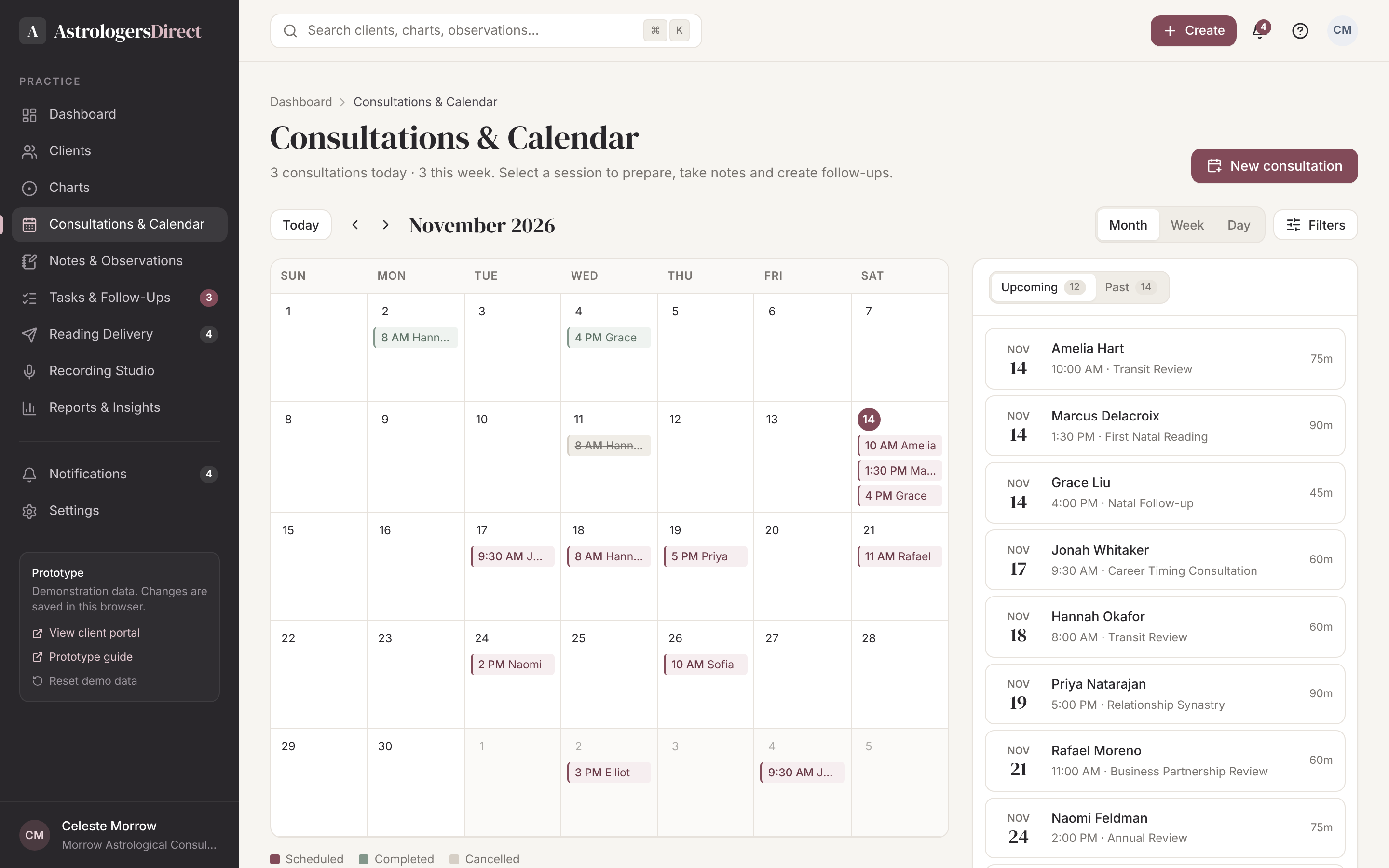
Month, week and day views. Each consultation carries its preparation notes, linked charts, session notes, follow-up tasks, recordings and the readings that came out of it.
What it does
- Preparation and session notes
- Follow-up tasks created from the session
- History of every past consultation
In practice
- Month, week and day calendar views
- Consultation detail panel with every linked item
- Future: self-service booking and external calendars
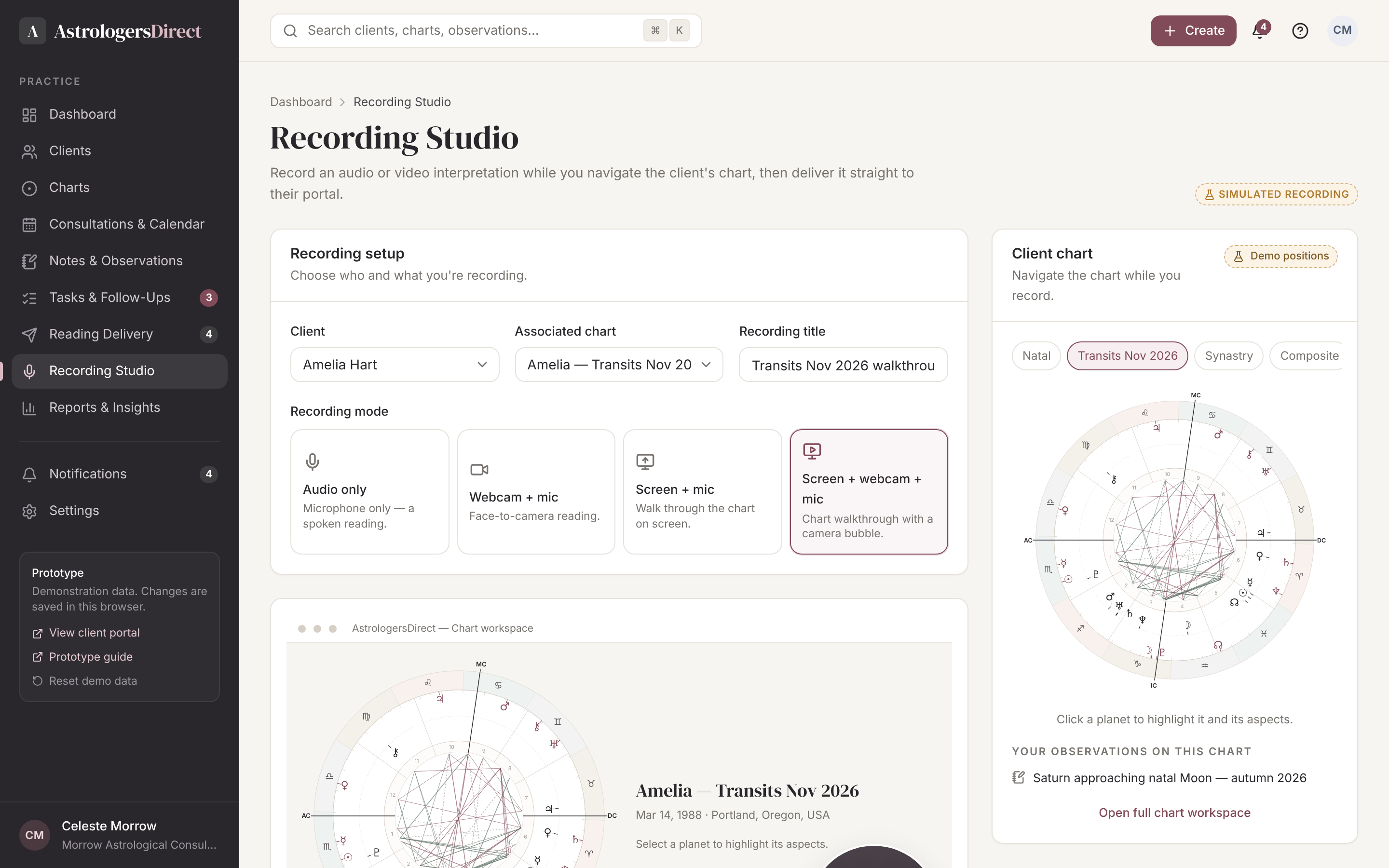
Recording Studio
Record audio-only readings, webcam and microphone, or your screen as you walk through the chart — with the client’s chart available to navigate while you record. Review, rename, save to the client record or deliver straight to their portal.
What it does
- Four recording modes: audio, webcam, screen, screen + webcam
- Navigate the chart while recording
- Review, rename, discard, save or deliver
In practice
- Microphone and camera selection
- Live microphone level indicator
- Future: transcription, chapters and captions
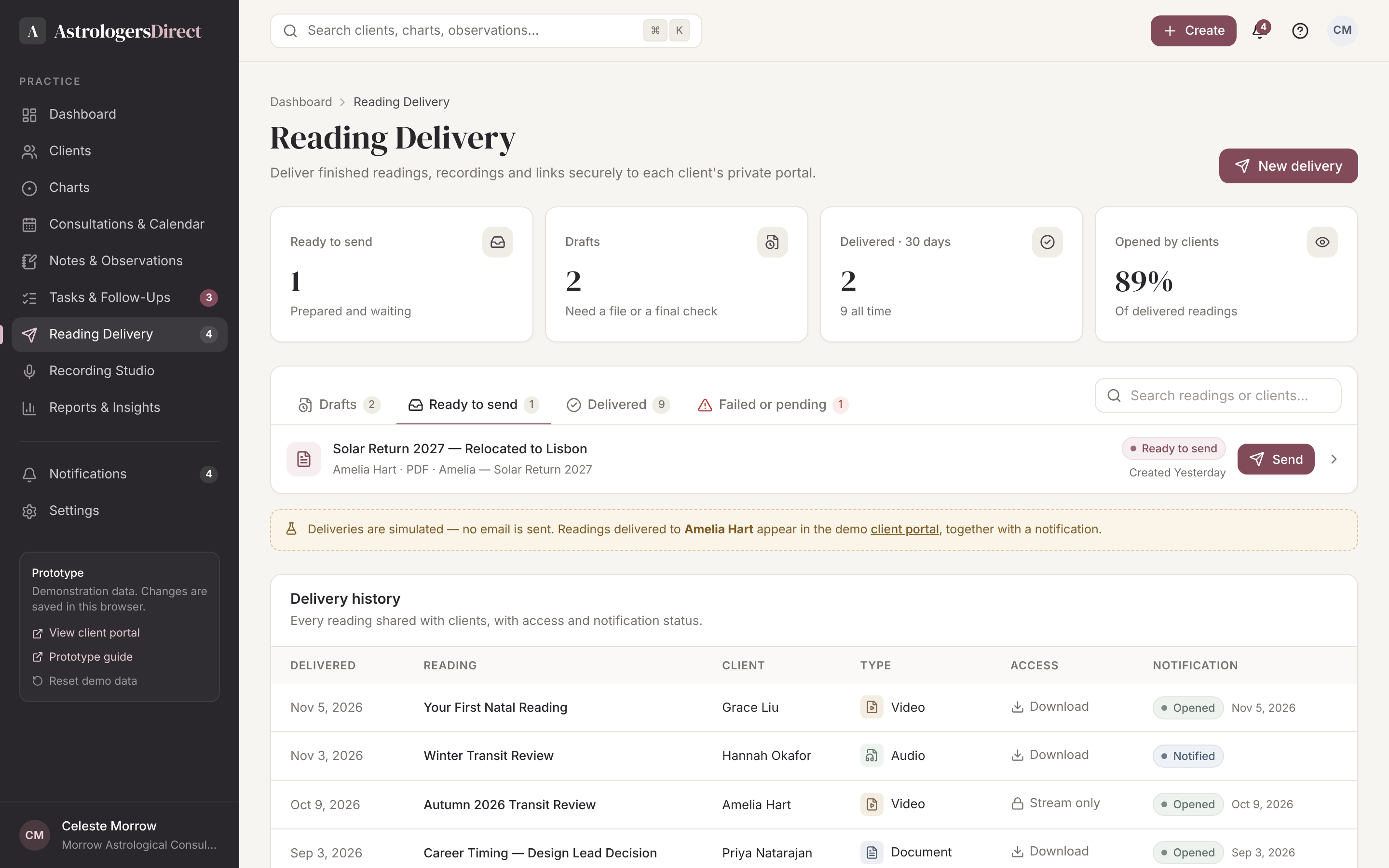
Reading Delivery & Recording
Record audio or video — including your screen while you navigate the chart — then deliver it, or upload an existing written reading. Set download permissions, add a personal message and track when it was opened.
What it does
- Audio, webcam and screen recording
- Upload PDF, audio, video or share a link
- Delivery and open tracking
In practice
- Draft, ready, delivered and failed queues
- Client access permissions and download control
- Notification and open status
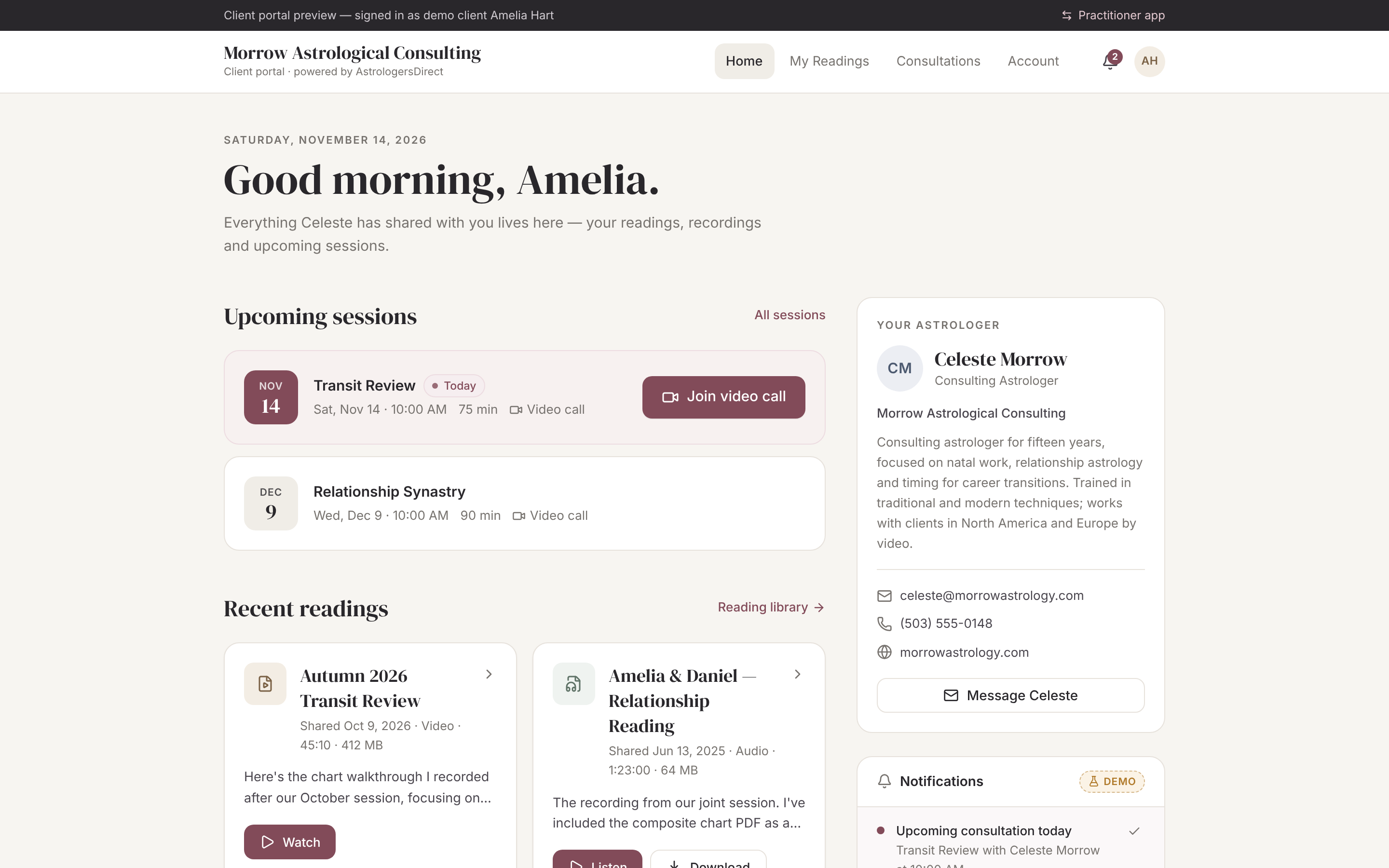
Client Portal
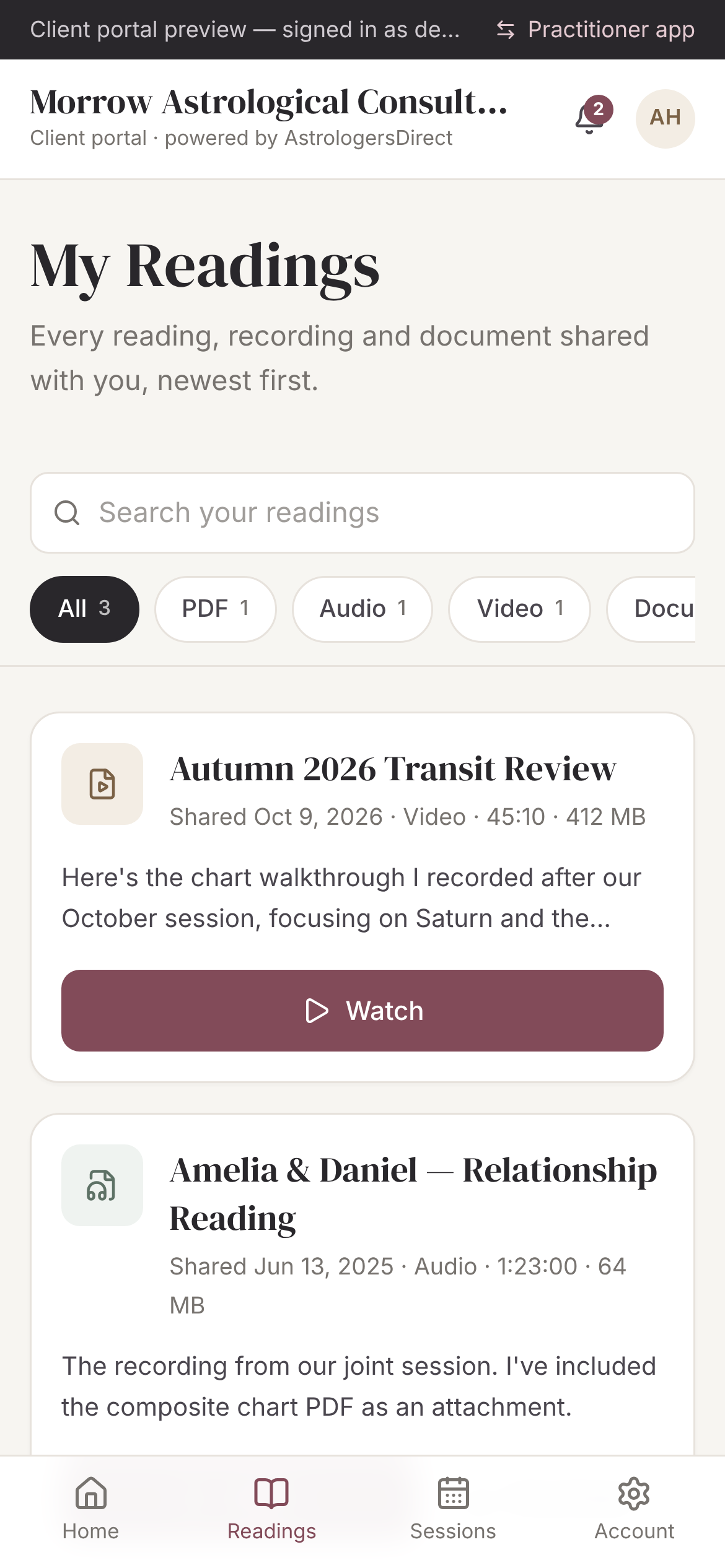
Clients sign in to a portal branded with your practice. They see their readings, recordings and consultation history — never your private notes or internal tools. Designed to work beautifully on a phone.
What it does
- Your practice name and identity
- Media player and document viewer
- Private observations never appear
In practice
- Reading library with filters by type
- Consultation history with shared materials
- Mobile-first media playback
Your Practice. Connected.
Bring your practice together.
Explore the prototype, or create an account to join the early practitioner group shaping AstrologersDirect.