Practice management for professional astrologers
Your Practice. Connected.
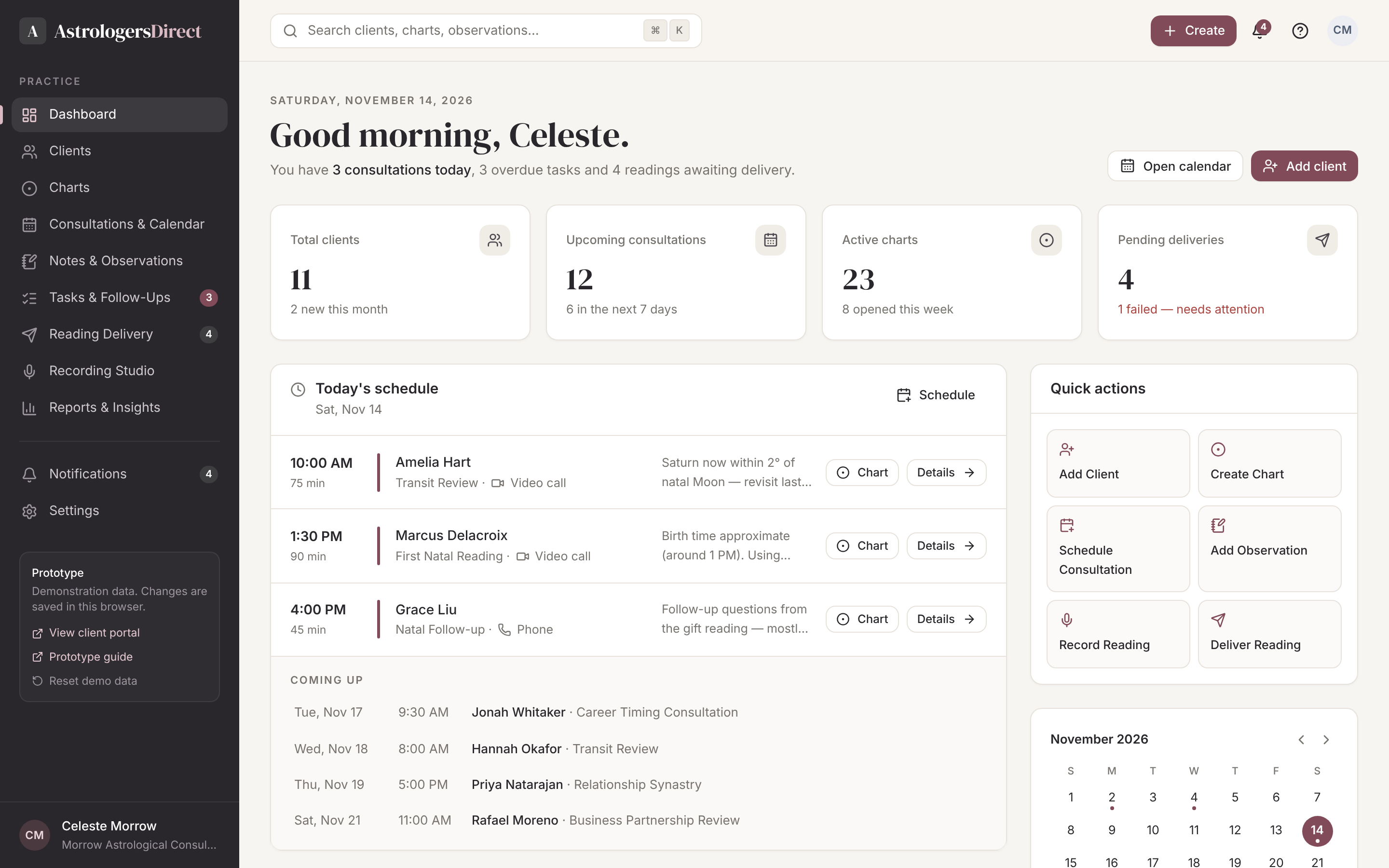
Charts, clients, consultations and your professional knowledge — finally in one workspace. Spend less time on administration and more time practising astrology.
Your expertise deserves better tools.
The problem
Astrologers work across too many disconnected tools.
Professional astrology software calculates charts beautifully, but the practice that surrounds them — clients, sessions, notes and deliveries — is left to spreadsheets, inboxes and memory.
Disconnected chart software
Charts live in desktop software that knows nothing about the client, the consultation, or what you said last time.
Scattered client notes
Observations end up in notebooks, documents and email threads — impossible to find when the client returns.
Separate scheduling and communication
Calendars, email, file sharing and payment each live in a different tool, stitched together by hand.
Lost observations, repeated admin
Insight from years of work is hard to retrieve, while the same administrative steps are repeated for every reading.
The solution
One connected professional workspace.
AstrologersDirect is organised around the relationship between you and each client. Every chart, observation, consultation and delivered reading is connected — so your accumulated knowledge is always one click away.
- Charts stay linked to the people they describe
- Observations persist across years of consultations
- Readings reach clients through a private, branded portal
- Assistance that organises your work without replacing your judgement
Clients
Profiles & history
Charts
Natal to timing
Observations
Your knowledge base
Consultations
Calendar & notes
Delivery
Readings & recordings
Client portal
Private access
Every module reads from — and writes back to — the same client record.
Feature showcase
Everything your practice needs, designed together.
Client Management
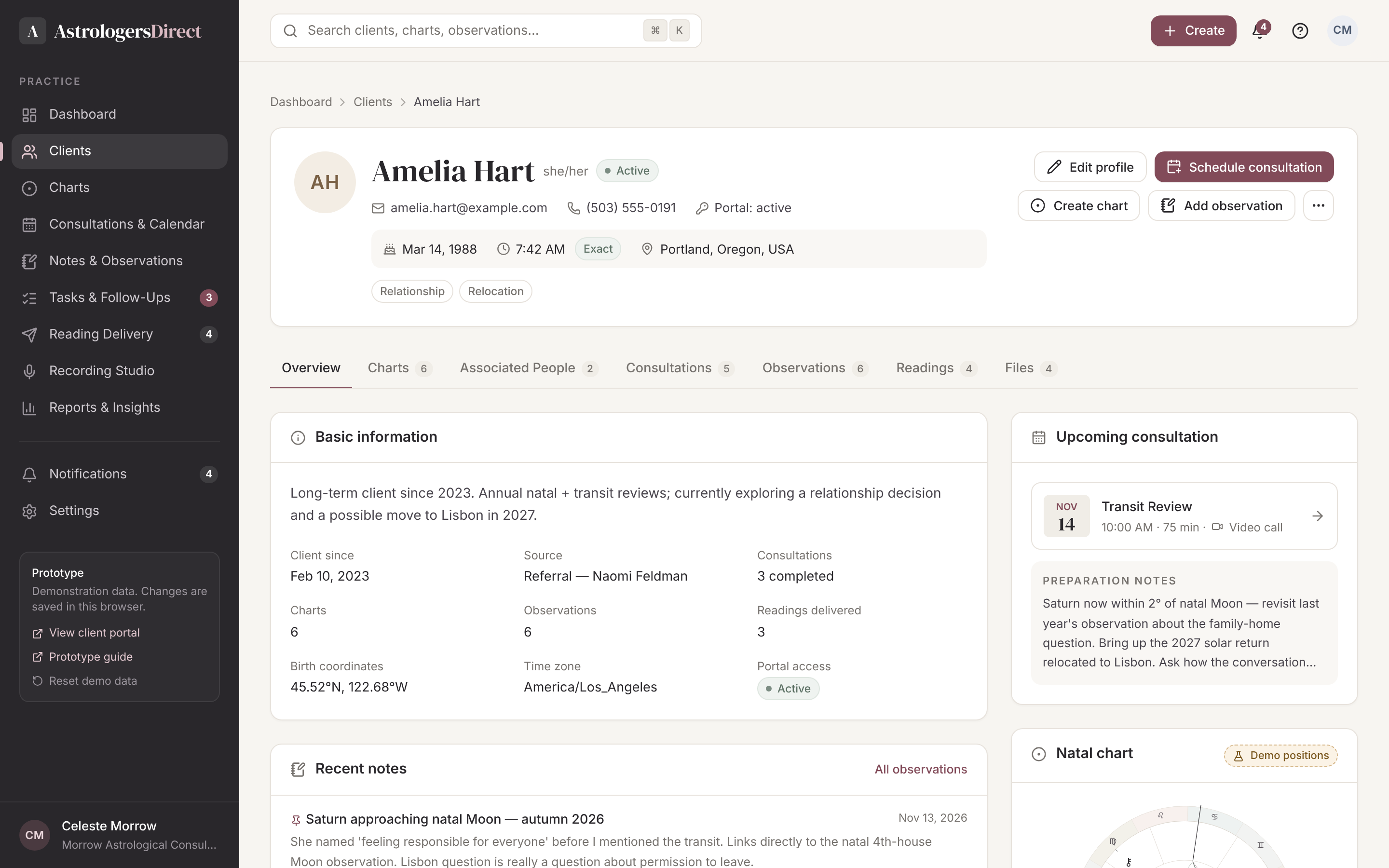
Each client has a single profile that holds contact details, verified birth data, partners and family members, consultations, charts, observations, delivered readings and files. Open a record and see the whole relationship at a glance.
- Searchable directory with status, filters and archive
- Associated people with their own birth data and charts
- Import and export your existing client list
Professional Chart Workspace
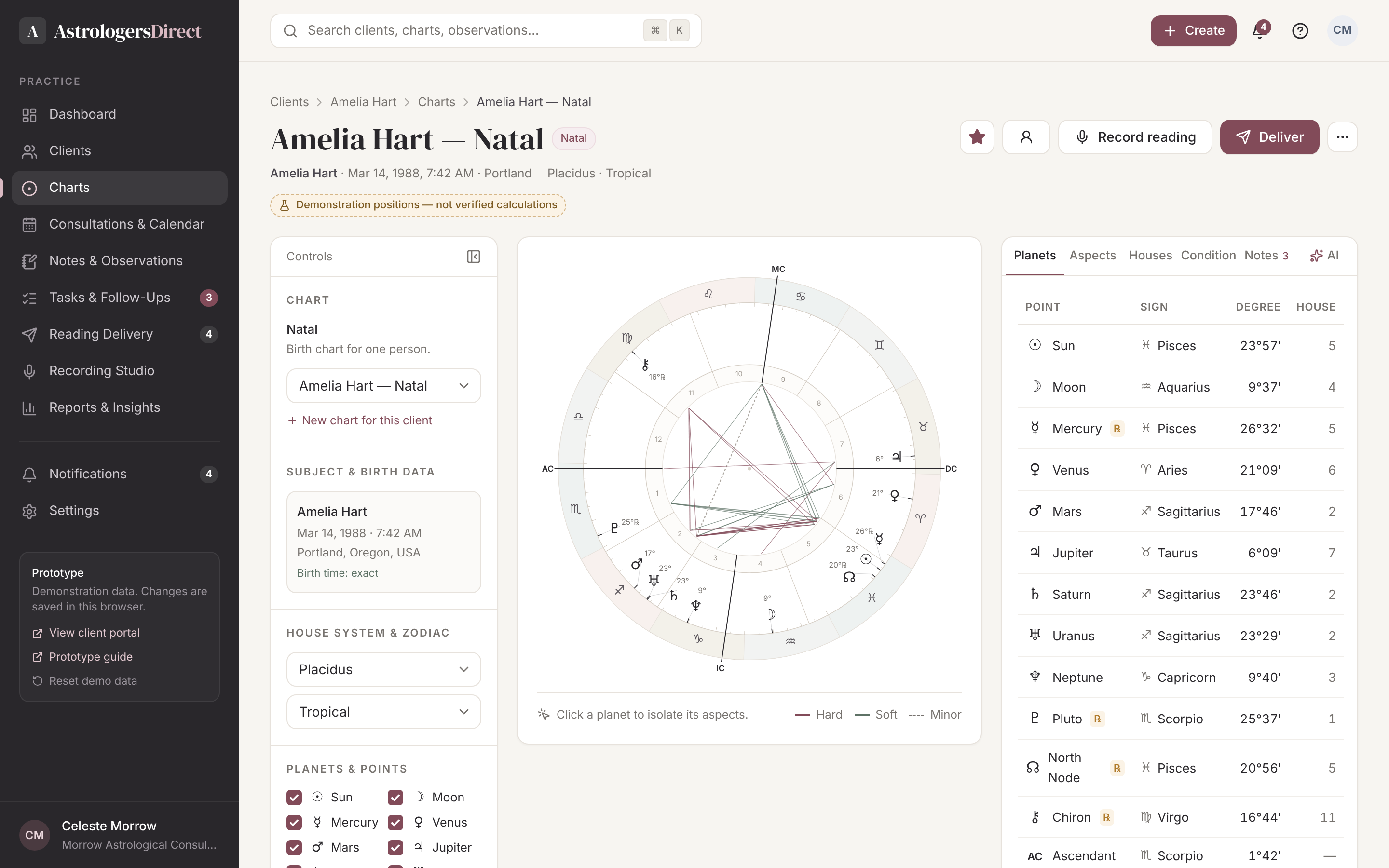
A focused analysis environment with chart controls on the left, a large interactive wheel in the centre and placements, aspects, houses and rulers on the right. House systems, zodiac, orbs and visible points are all yours to set.
- Natal, synastry, midpoint composite, transits, progressions, solar arcs, solar returns
- Applying and separating aspects, dignities and house rulers
- Charts always stay attached to their client record
Persistent Notes & Observations
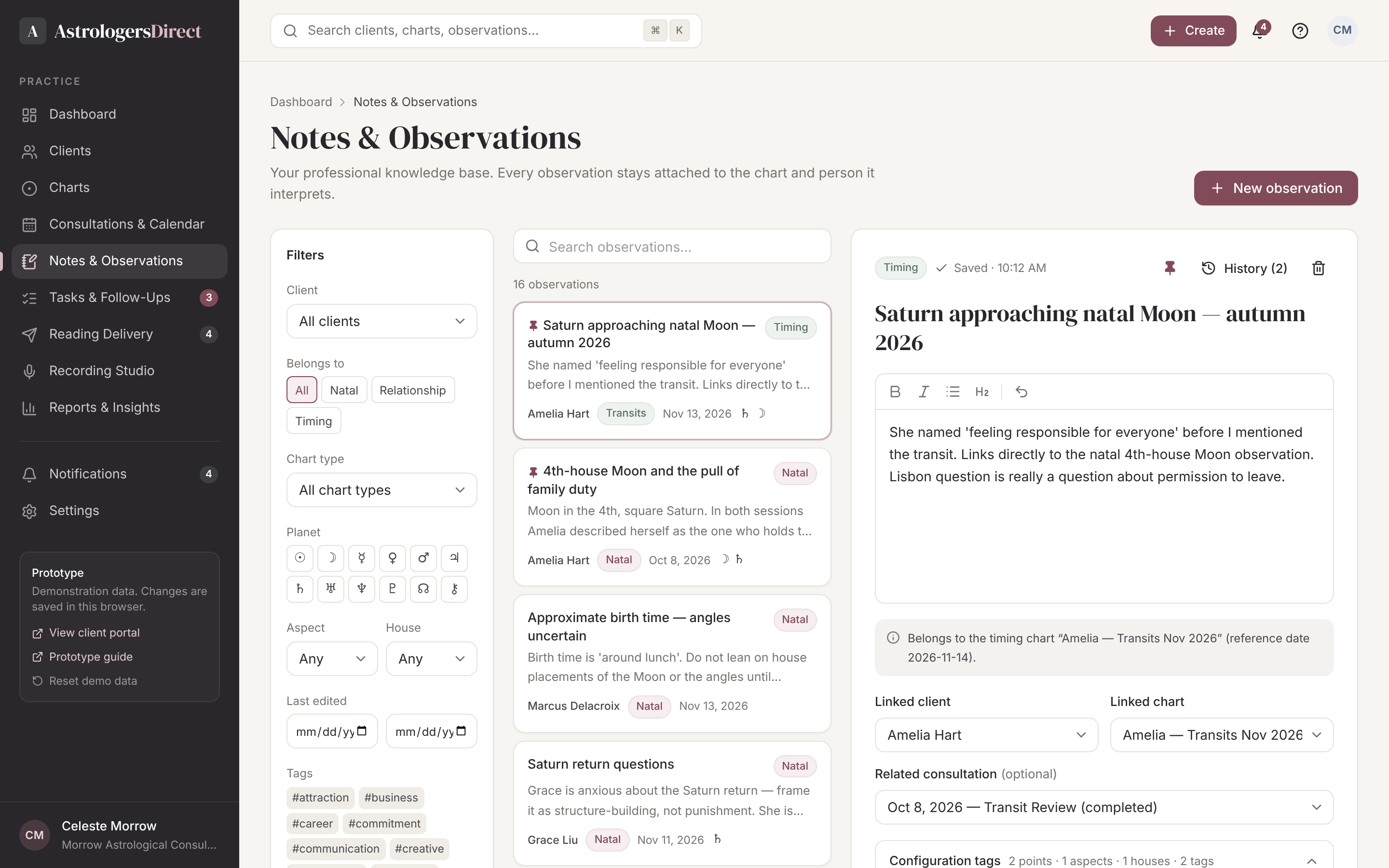
Observations autosave, keep a revision history and are tagged by planet, aspect and house. Natal observations belong to the person; relationship observations belong to the relationship. Years later, your thinking is still there.
- Autosave and revision history
- Tags for planets, aspects, houses and themes
- Search your knowledge across every client
Intelligent Assistance
Ask questions about a chart, surface observations you have written before, summarise relevant configurations or compare notes across consultations. Calculated chart facts, your own observations and generated suggestions are always clearly distinguished.
- Retrieve past observations in context
- Summaries clearly labelled as generated
- You decide what is kept
Consultations & Calendar
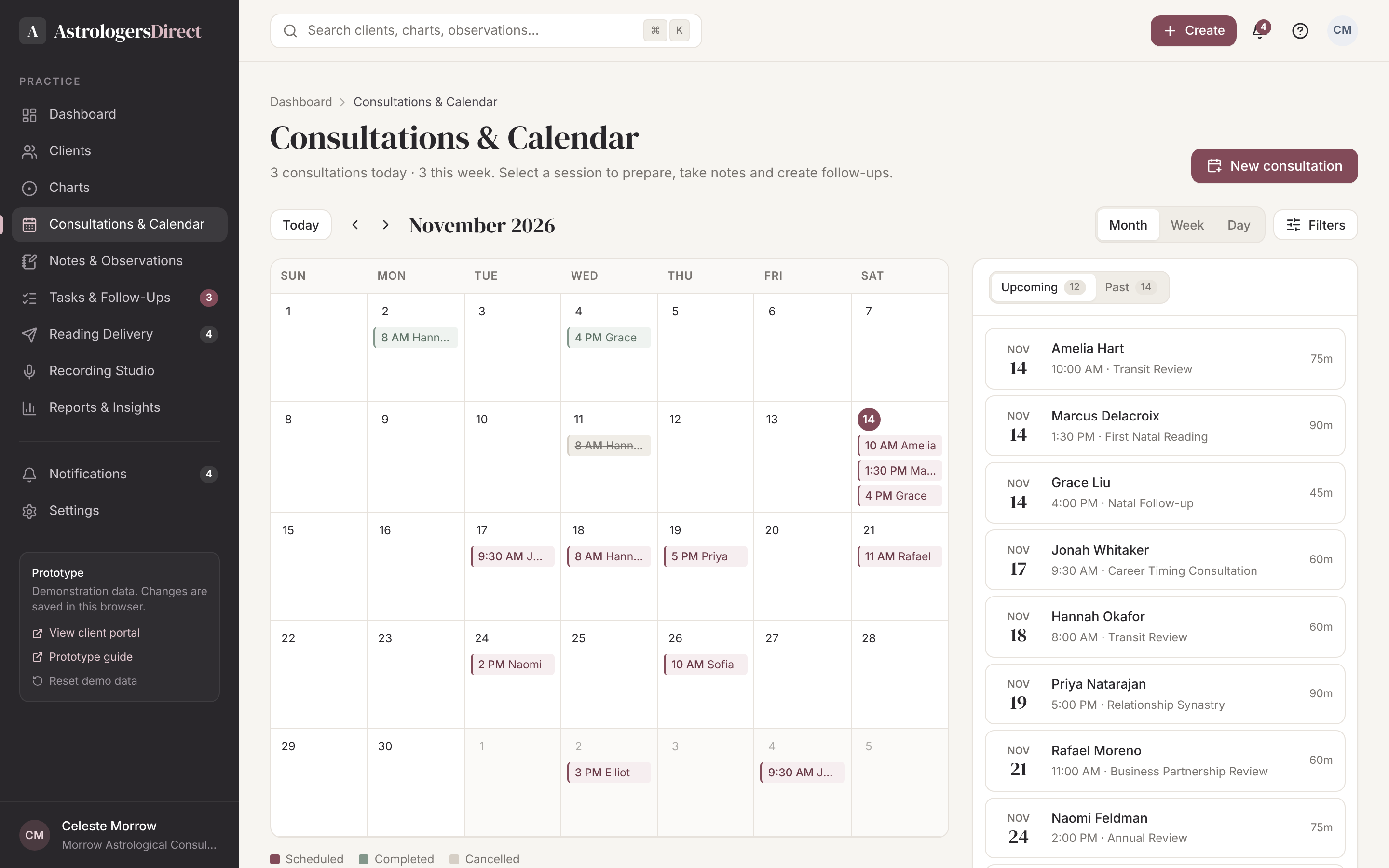
Month, week and day views. Each consultation carries its preparation notes, linked charts, session notes, follow-up tasks, recordings and the readings that came out of it.
- Preparation and session notes
- Follow-up tasks created from the session
- History of every past consultation
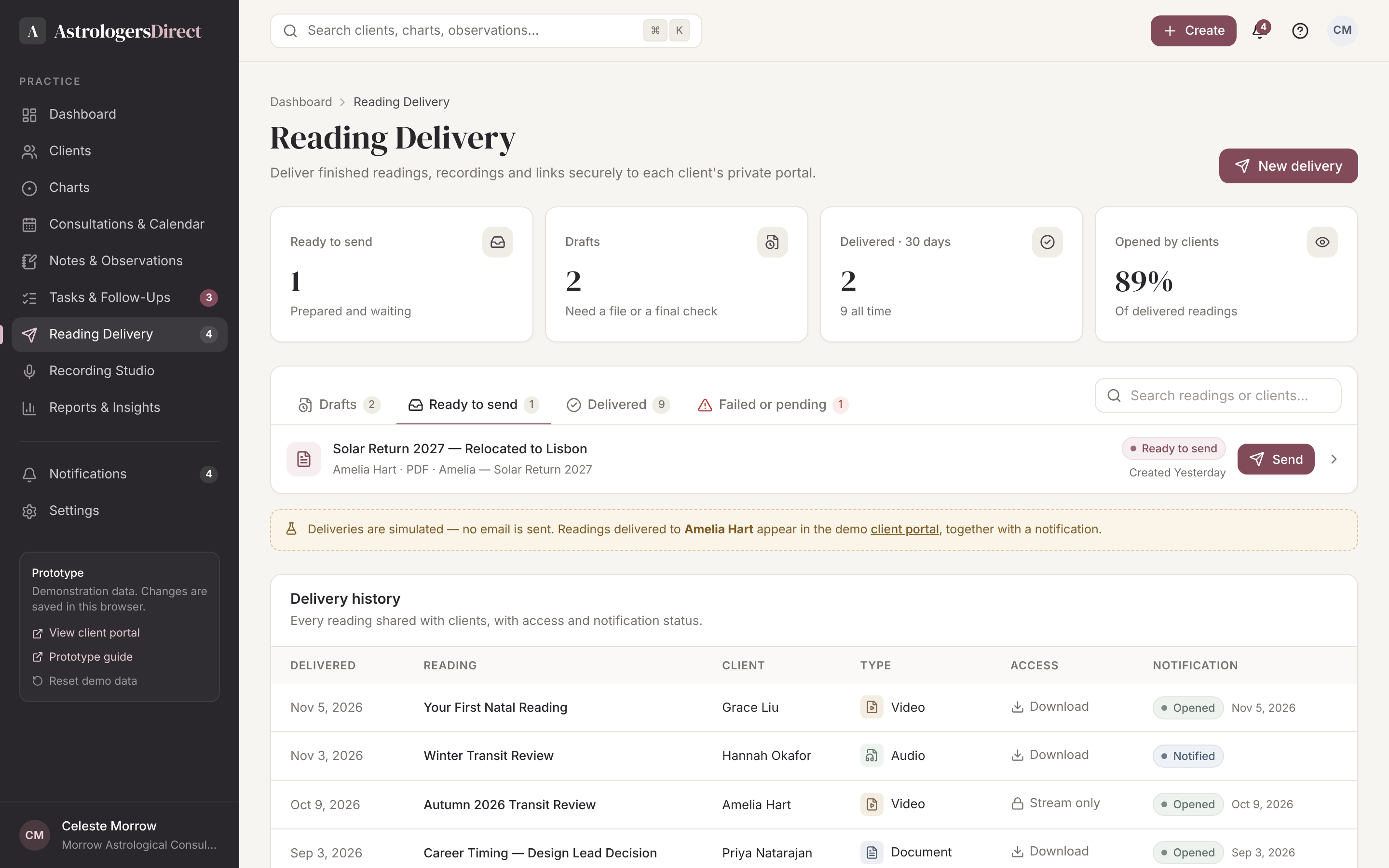
Reading Delivery & Recording
Record audio or video — including your screen while you navigate the chart — then deliver it, or upload an existing written reading. Set download permissions, add a personal message and track when it was opened.
- Audio, webcam and screen recording
- Upload PDF, audio, video or share a link
- Delivery and open tracking
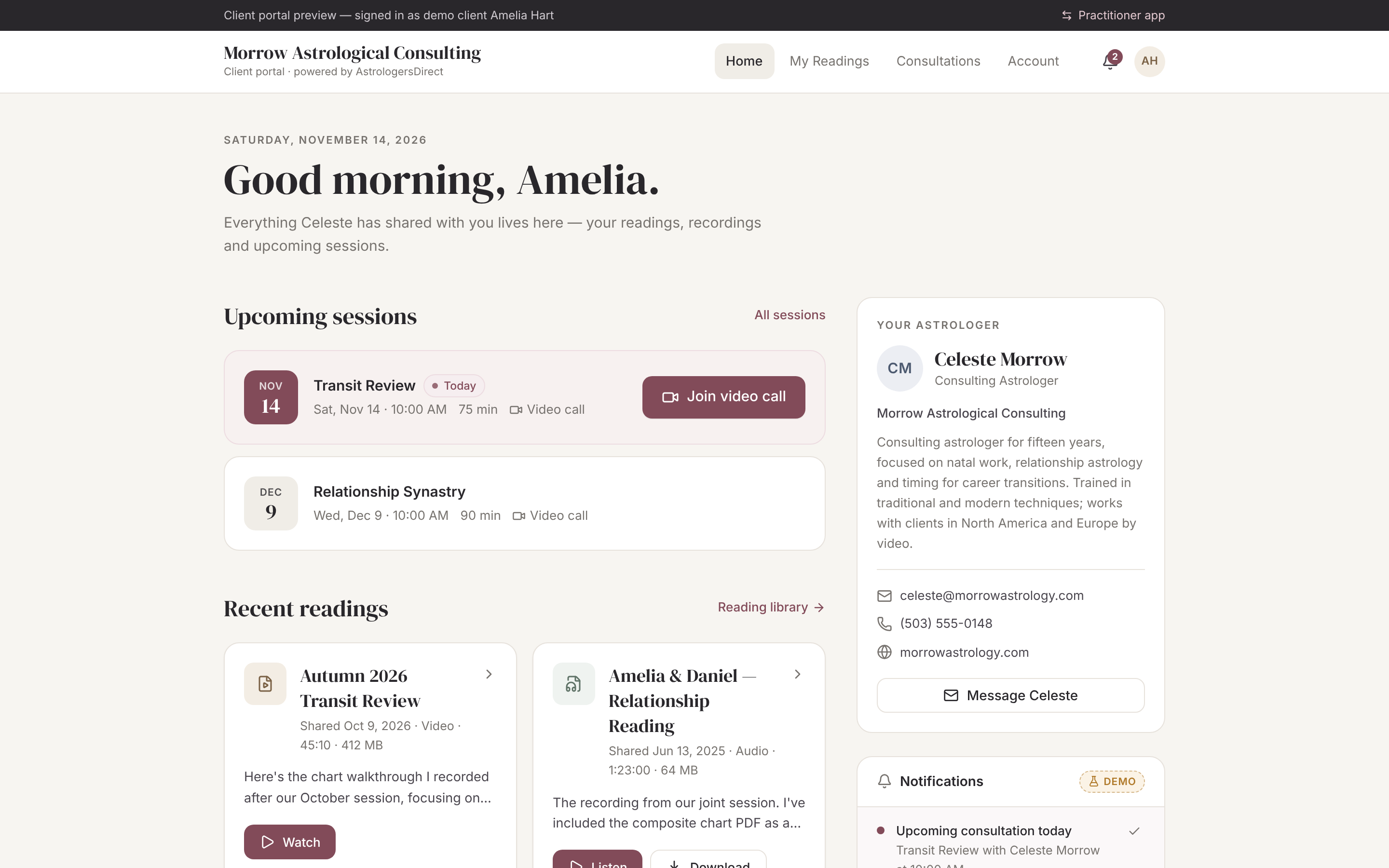
Client Portal
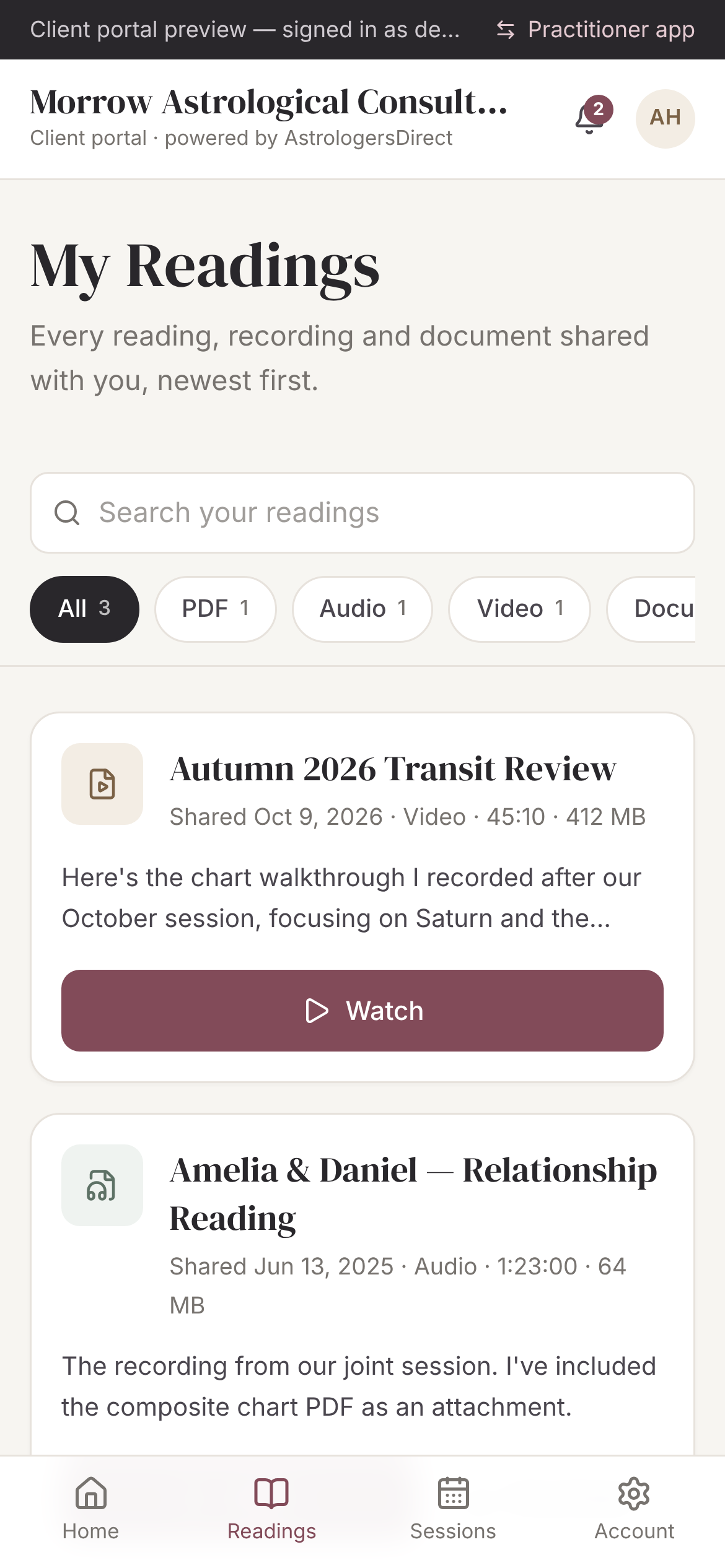
Clients sign in to a portal branded with your practice. They see their readings, recordings and consultation history — never your private notes or internal tools. Designed to work beautifully on a phone.
- Your practice name and identity
- Media player and document viewer
- Private observations never appear
How it works
From first enquiry to a lifetime of readings.
A typical client journey in AstrologersDirect follows five simple steps.
- 01
Create or import a client
Enter birth data once. Add partners and family members with their own details.
- 02
Generate and analyse charts
Natal, relationship and timing charts, all attached to the client record.
- 03
Save observations and consultation records
Autosaved interpretations, prep notes, session notes and follow-ups.
- 04
Deliver readings and recordings
Upload a reading or record one in the studio, then send it to the client portal.
- 05
Build on the client’s history over time
Every return visit starts with everything you already know.
“The technology should support the astrologer’s expertise, not compete with it.”
Our philosophyYour Practice. Connected.
Bring your practice together.
Explore the prototype, or create an account to join the early practitioner group shaping AstrologersDirect.